BUILT-IN PRACTICE
MATH / GRADES 6–8
Fraction Vault
Equations, fractions, and distribution. Release the locks, one careful step at a time.


“Scan your next unit and HQ will write your briefing. Your mission starts there.”
— Command HQScan what you’re studying. HQ builds your mission around it, with hints when you need support and no shortcuts to the answer.
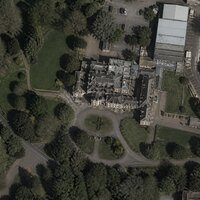 SAT-7 // RECON
Codebreakers used math here to crack the Enigma code in World War II.
51.99° N / 0.74° W · MATH FUN FACTSTART HERE / FOR PARENTS
A phone, tablet, or computer and an internet connection are all you need. The child uses your supervised session; no separate child account or AI key is needed.
During the private pilot, the app owner pays AI usage. You can try the built-in mission before setting up a learner.
Units in your library
Missions completed
XP earned through practice
MATH / GRADES 6–8
Equations, fractions, and distribution. Release the locks, one careful step at a time.
FOR THE PARENT IN COMMAND
Follow independent answers, the support used, and skills that need another look.
Progress illustration